
Sync Zoom Recordings
Worried about saving/syncing Zoom cloud records with cloud providers? Here we are, we provide one-click automation solutions for that!
A Perfect Automation Solution
just connect our app with your account and that’s it.

01
One-click connection
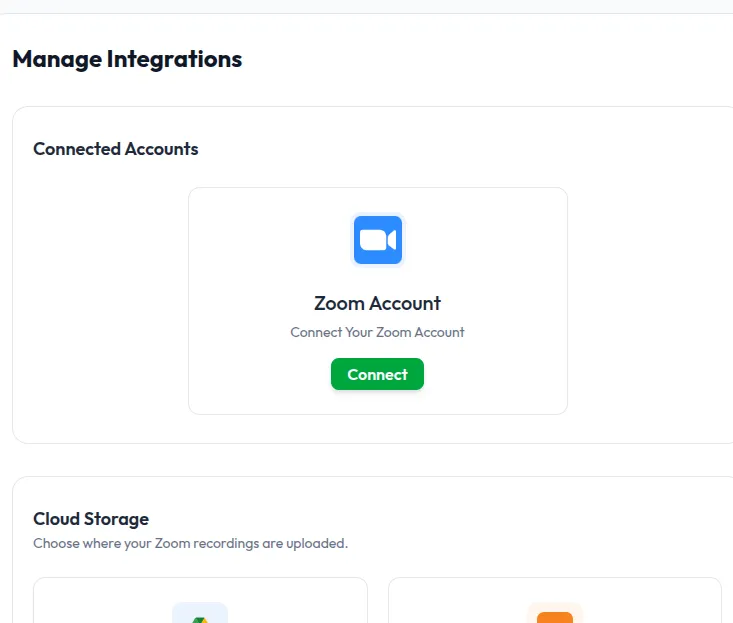
it’s very easy to connect your cloud services with our app, just follow the on-screen instructions.

02
Provides Diversity
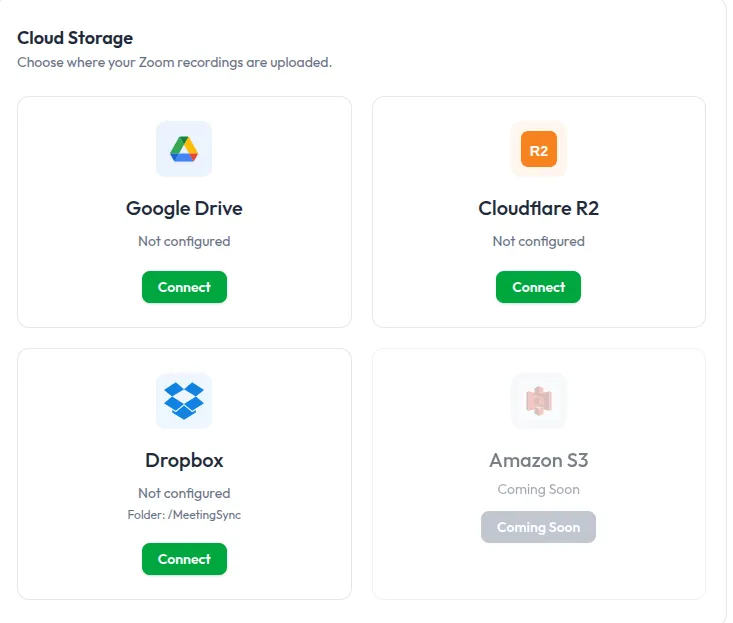
We have a few connectors of cloud storage you can enable and choose default/current storage to save files automatically to it.

03
Cloud Automation
With MeetingSync your connection will work without any kind of manual intervention and it will be stored automatically.

04
Continous Support
We prioritize our customers needs and this is why 24×7 support services we believe in.

05
Intact Transparency
We work transparently and do not collect any data behind the scene. we just process your data and send where you want to.

06
Smart UI/UX
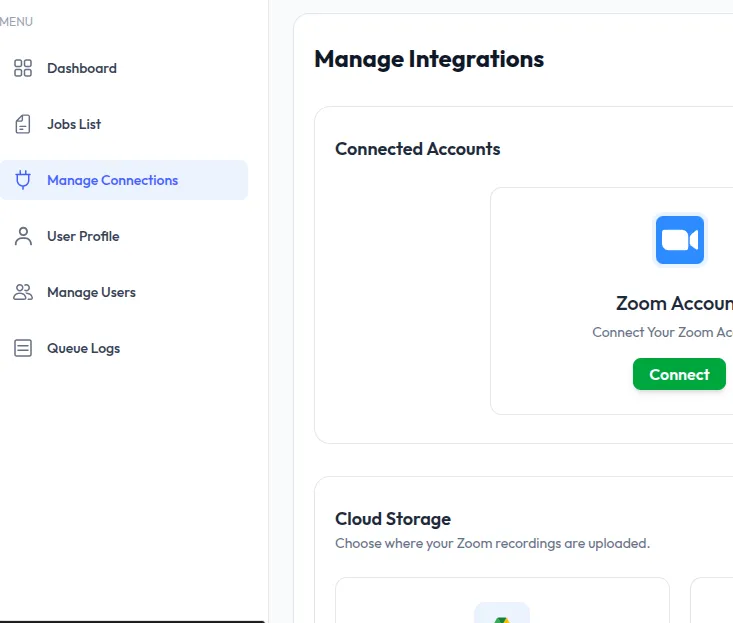
We provides simple yet smart UI/UX so it will be easier for our customer to navigates inside of our app.
choose the plan perfect for you
Choose a subscription plan and get started

MONTHLY
Recurring monthly access for syncing Zoom cloud recordings to cloud providers.
Automatic Zoom cloud sync
YEARLY
Recurring yearly access for teams that want the lower annual price.
Automatic Zoom cloud sync
FREQUENTLY ASKED QUESTIONS
1. What does MeetingSync do?
MeetingSync automatically syncs your Zoom cloud recordings to your preferred cloud storage. Once your Zoom account and storage provider are connected, your recordings can be uploaded without needing to manually download and move files.
2. Which cloud storage providers can I connect?
MeetingSync supports multiple cloud storage options, including Google Drive, Cloudflare R2, and Dropbox. Amazon S3 is planned as a coming-soon option based on the app interface.
3. Do I need to manually upload Zoom recordings?
No. After setup, MeetingSync is designed to handle the upload process automatically. You connect your accounts once, choose where recordings should go, and the system takes care of syncing them.
4. Can I track my synced recordings?
Yes. The dashboard includes a jobs list where you can view recording sync jobs, task status, downloads, and creation time. This helps you check whether your recordings were processed successfully.
5. Is MeetingSync only for Zoom recordings?
Currently, MeetingSync is focused on Zoom cloud recordings. Users connect their Zoom account, then choose a storage destination where recordings should be uploaded.
6. Can I manage my subscription from inside the app?
Yes. The profile page includes billing information and a Manage Subscription option, so users can view or manage their active monthly subscription.
7. What happens if a sync job fails or is still processing?
You can check the Jobs List and Queue Logs pages to review sync activity, task status, downloads, and processing logs. This helps you troubleshoot whether a recording was uploaded successfully or needs attention.